
.png)
.png)
Your expertise does the marking. GroupMark makes it faster.
A desktop marking tool built for teachers. Group identical answers, mark with keyboard shortcuts, track performance by topic, and get AI-drafted rubrics you review yourself. It cuts out most of the admin.
Available on the Microsoft Store · Runs locally, so student data stays on your device
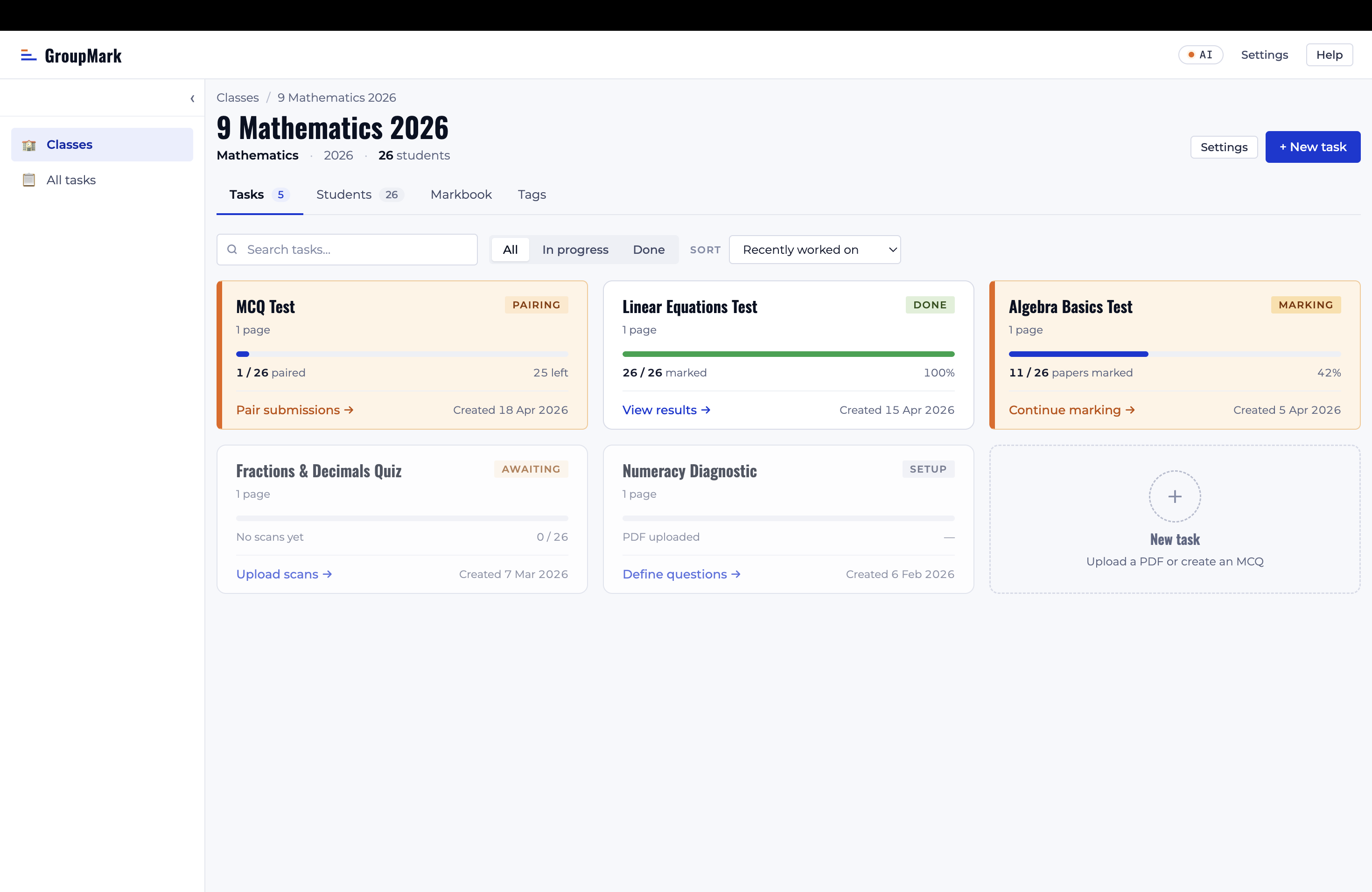
GroupMark turns a stack of scanned papers into detailed results, and it's far quicker than working through them one at a time. You still make every judgement call yourself.
Upload & split
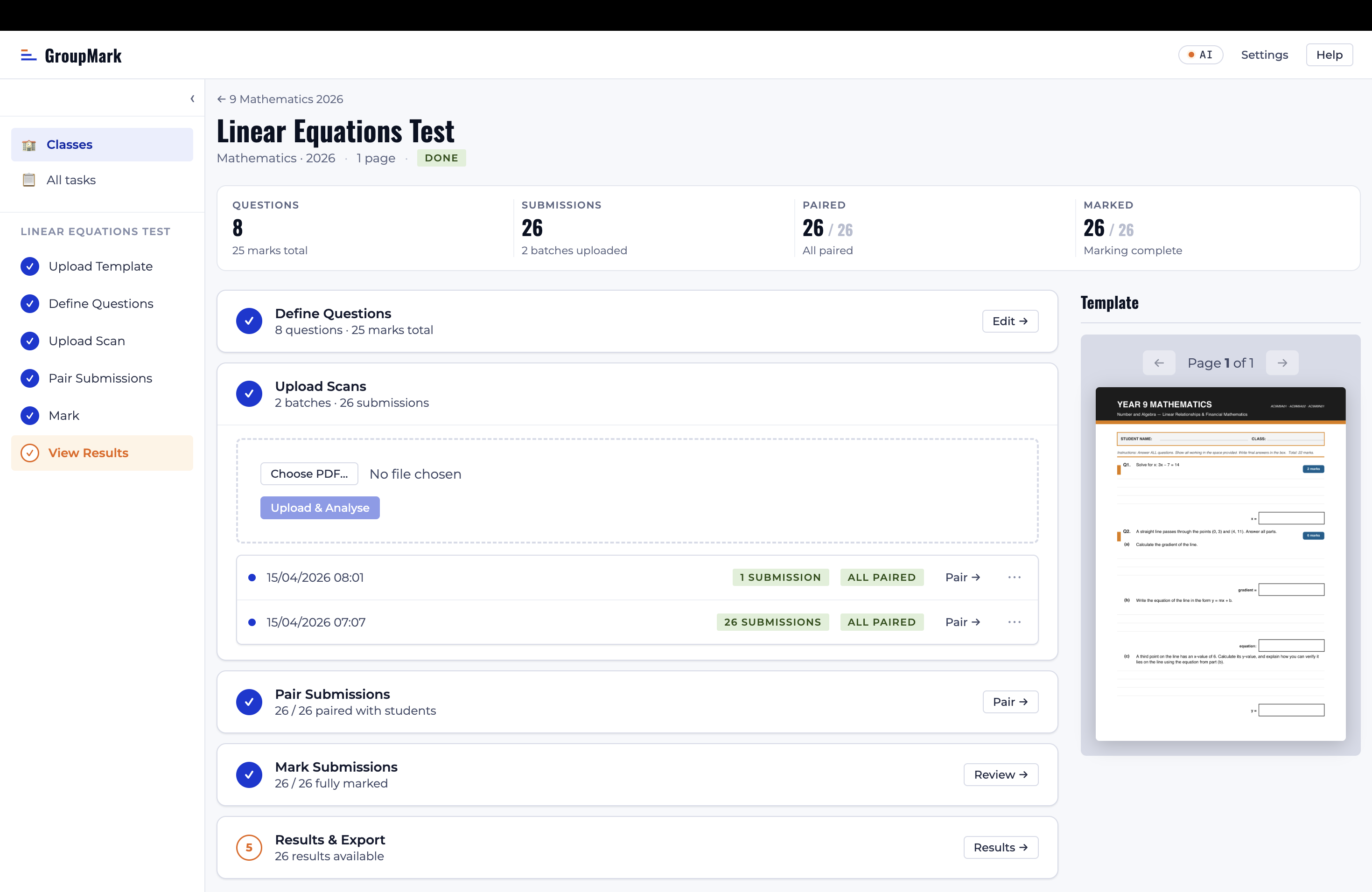
Upload your blank template and the batch-scanned PDF. GroupMark splits it into individual submissions and matches each to a student using OCR.
Group & mark
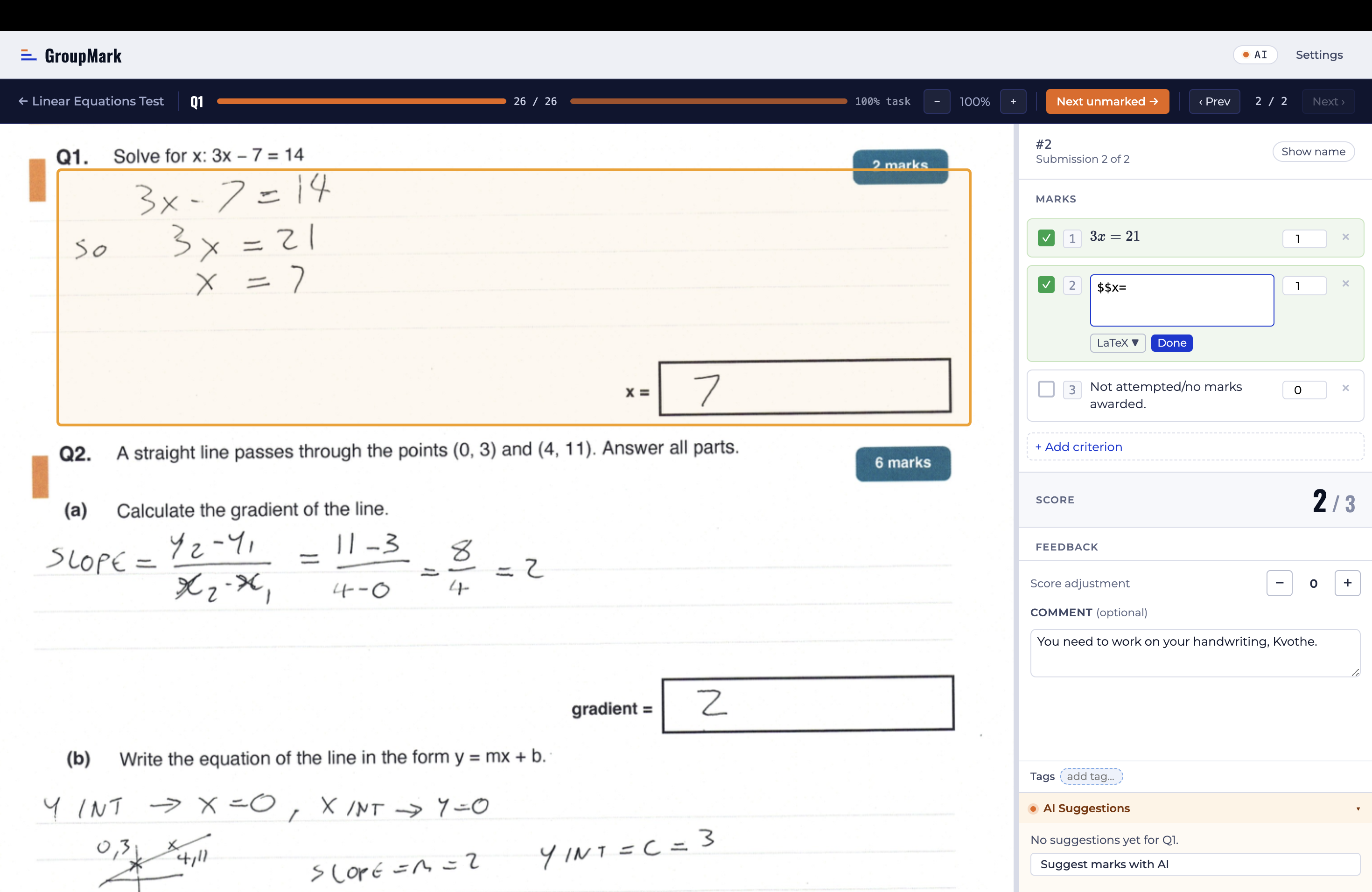
Group identical answers so you only mark them once. Award criteria with keyboard shortcuts 1–9 and add per-submission notes for individual feedback.
Results
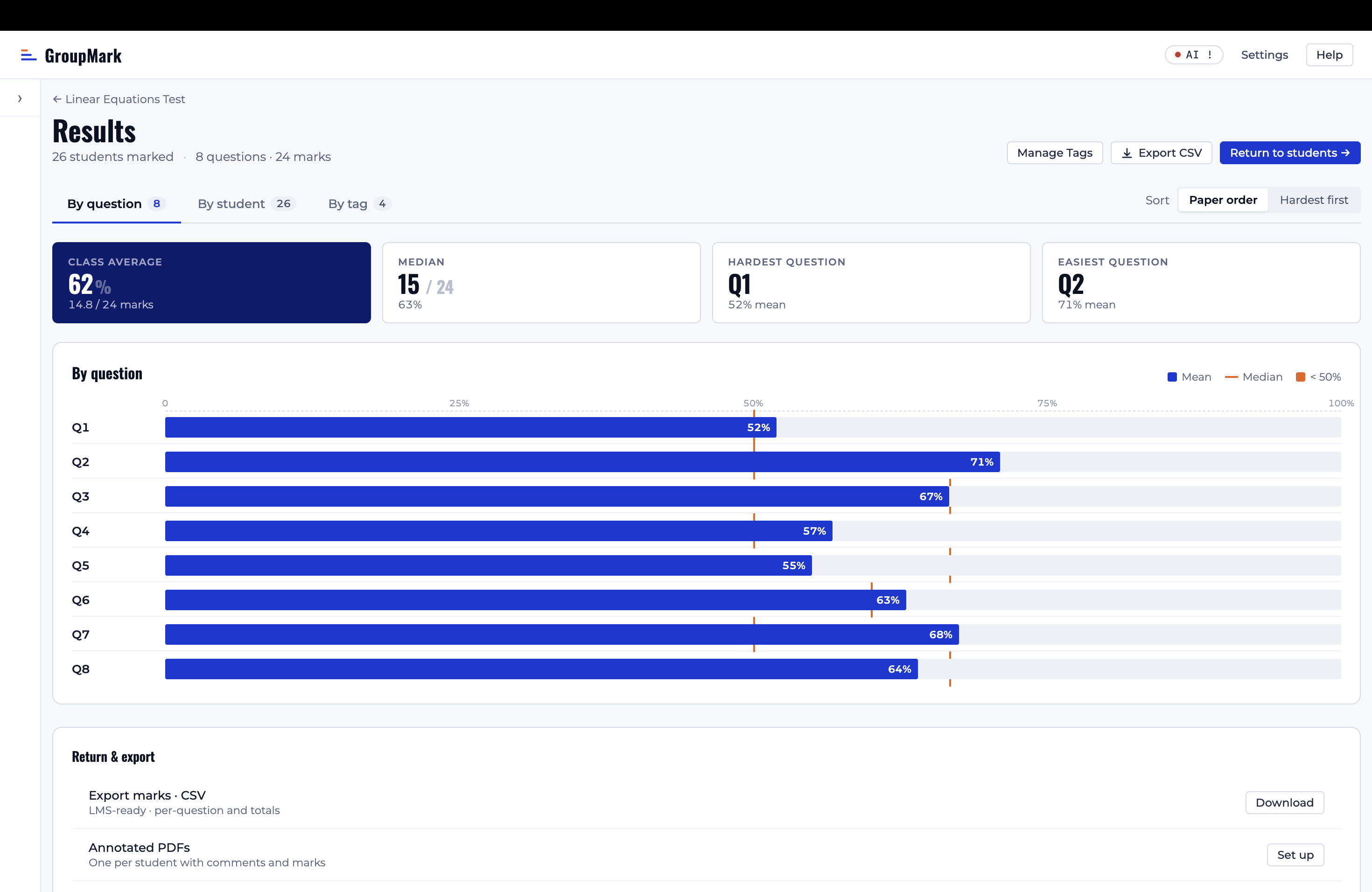
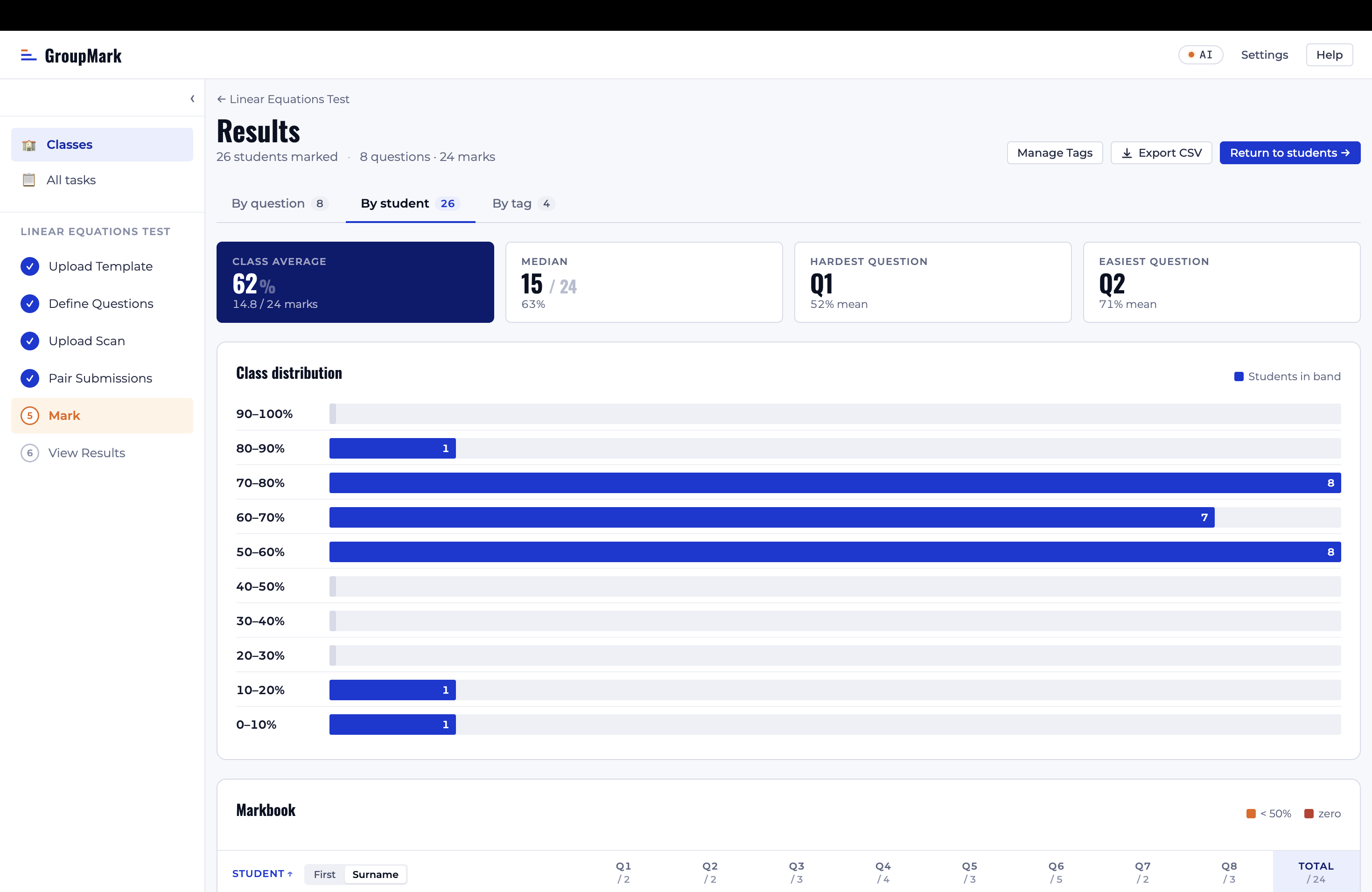
View class analytics by question and by student, export marks as a CSV, track performance by topic with tags, and optionally email annotated PDFs.
Every feature in GroupMark exists because a teacher asked for it, not because it looked good in a product spec.
AI-assisted rubrics & tags
GroupMark can suggest question regions, marking criteria, and topic tags from your template, and you review and approve each one. Student work is never uploaded.
Share & reuse tasks
Build a task once, then copy it to another class or export it to a file a colleague can import. The template, questions, marking scheme, and tags come along; student work stays put.
Automatic name matching
GroupMark reads student names off scanned papers on your device and matches each one to a student for you to confirm, instead of sorting a stack of papers by hand.
Group-based marking
Group identical answers and mark them all at once, so one judgement covers the whole group. It's much quicker than working through the class student by student.
Keyboard-driven workflow
Award criteria with hotkeys 1–9, navigate with arrow keys, and jump to unmarked submissions with Z. Add per-submission notes with LaTeX support for individual feedback.
Multiple-choice auto-marking
Create multiple-choice tasks with printable answer sheets, then scan the completed sheets for automatic scoring. GroupMark flags anything it's unsure about for a quick manual check.
Instant class analysis
Get score distributions, question-by-question breakdowns, and class markbooks as soon as you finish marking. Tag questions by topic to track performance across tasks.
Export & email results
Export marks as a CSV for your gradebook, view a class markbook with tag breakdowns, and optionally email each student an annotated PDF of their marked paper.
Runs locally, stays private
GroupMark is a desktop app. Student data never leaves your machine, so there's no cloud sync to set up and nothing for your IT department to sign off on. Only the blank template is sent for AI analysis.
Free for teachers, with no accounts and no feature limits. Every feature — including AI suggestions — is included. All you need is a Windows PC.
Available free on the Microsoft Store. If GroupMark saves you marking time, you can buy the developer a coffee.